


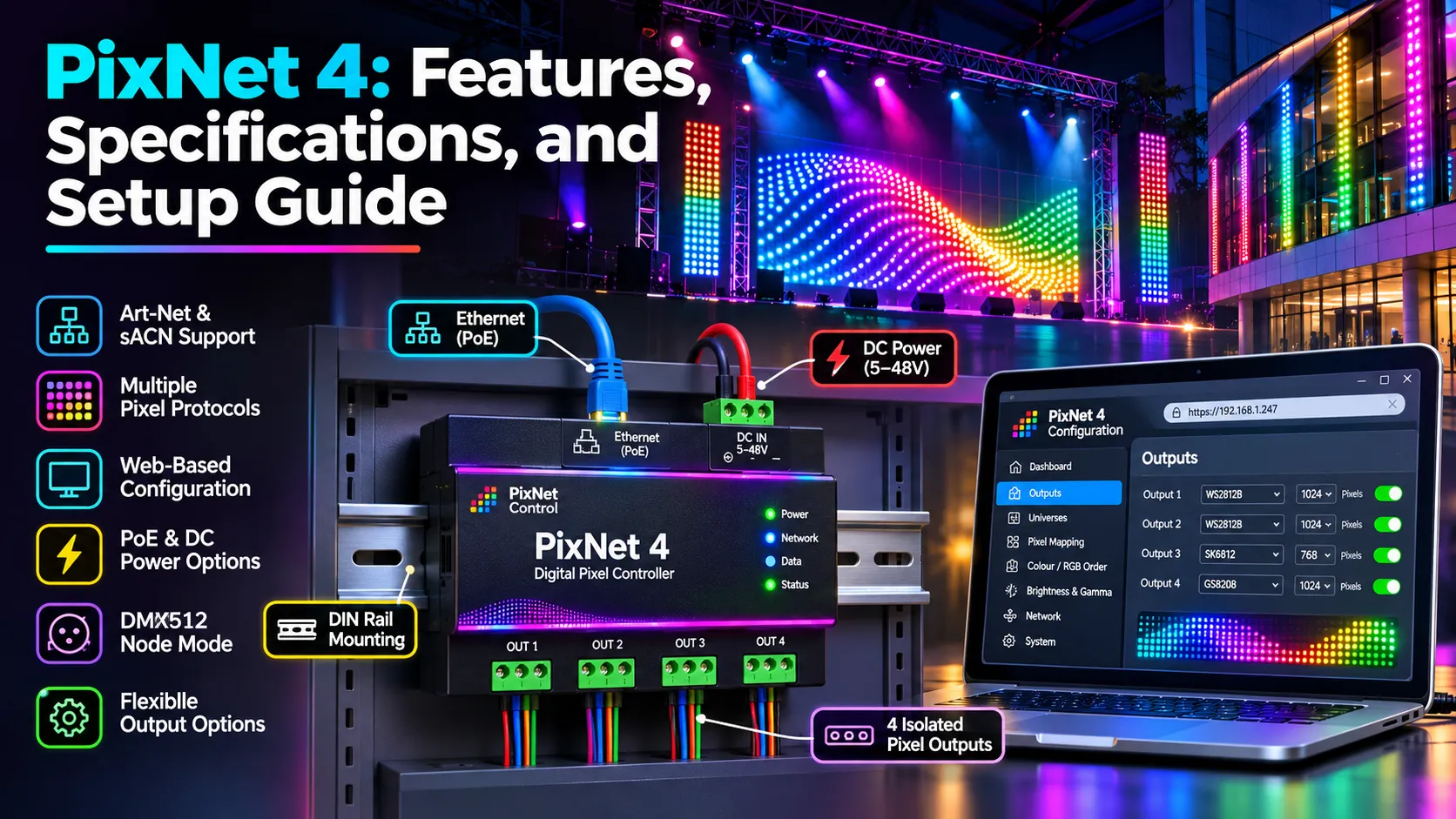
PixNet 4 is a professional LED pixel controller developed by UK-based PixNet Control. It converts Art-Net and sACN lighting data into signals for addressable LED pixels, allowing lighting designers and audiovisual installers to create synchronized animations, color-changing displays, and complex lighting effects.
Designed for commercial and entertainment environments, PixNet 4 supports multiple LED protocols, web-based configuration, Power over Ethernet (PoE), and DMX512 output functionality. Its flexibility makes it relevant to theatres, nightclubs, events, architectural installations, and other projects requiring precise digital lighting control.
The controller was introduced in October 2024 and remains listed in the manufacturer’s product catalog as of November 2026. However, some technical figures differ between the current product listing and the downloadable user manual, making specification verification particularly important before installation.
What Is PixNet 4?
PixNet 4 is a network-connected digital pixel controller that translates lighting instructions into signals understood by individually addressable LED products.
Unlike a conventional LED dimmer that adjusts an entire strip or fixture together, an addressable pixel controller can control individual LEDs or groups of pixels. This allows lighting designers to produce moving patterns, gradients, chasing effects, and synchronized visual sequences.
PixNet 4 is manufactured by PixNet Control Limited, a company specializing in LED lighting control systems and related equipment.
The manufacturer announced the product on October 29, 2024. Its launch was also reported by the electronics publication Components in Electronics on November 15, 2024.
According to the official PixNet Control launch announcement, the device was developed to provide more advanced lighting configuration while maintaining compatibility with established entertainment lighting protocols.
Who Is PixNet 4 Designed For?
The controller primarily serves professional lighting applications rather than basic household LED decoration.
Its intended users include audiovisual installers, lighting technicians, stage designers, architectural lighting specialists, and businesses operating programmable entertainment lighting.
For example, a nightclub might use PixNet 4 to coordinate animated LED strips around its interior. A stage production could use it to translate lighting software instructions into synchronized effects across multiple pixel fixtures.
The exact installation requirements depend on the number of LEDs, the selected protocols, available power supplies, and the control software.
PixNet 4 Technical Specifications
PixNet 4 combines Ethernet-based lighting control with several physical pixel output options.
The following specifications are taken from the manufacturer’s current PixNet 4 product listing.
| Specification | Manufacturer’s Product Listing |
|---|---|
| Product name | PixNet 4 Digital Pixel Controller |
| Manufacturer | PixNet Control Limited |
| Product reference | PixNet-4 |
| Network protocols | Art-Net and sACN |
| Pixel outputs | Four isolated output ports |
| Standard RGB capacity | 4 × 1,024 pixels |
| Standard RGBW capacity | 4 × 768 pixels |
| Expanded output mode | Eight logical outputs for non-clocked pixels |
| Expanded RGB capacity | 8 × 1,020 pixels |
| Expanded RGBW capacity | 8 × 768 pixels |
| DMX node functionality | 4 × 512 channels |
| Network conversion capacity | Up to 48 Art-Net/sACN universes |
| Processor | 480 MHz MCU |
| Flash memory | 32 MB |
| Ethernet | Single 100 Mbps port |
| Power options | PoE or local DC input |
| Listed local DC input range | 5–48V DC |
| Configuration | Browser-based interface |
| Additional protection | Reverse-polarity protection |
Important specification clarification: The downloadable PixNet 4 User’s Manual V2.0 reports different pixel limits, including 1,020 RGB pixels per standard port and 510 RGB pixels per expanded output. It also specifies a local DC input range of 5–24V.
These differences have not been resolved in the published documents. They may reflect hardware or documentation revisions, but that explanation is unconfirmed. Installers should obtain written confirmation from PixNet Control for their particular hardware and firmware version rather than assuming every published maximum applies.
How Does PixNet 4 Work?
PixNet 4 acts as a bridge between lighting control software and physical LED pixels.
The software creates lighting instructions, the Ethernet network carries those instructions, and PixNet 4 translates the incoming data into the electrical signaling protocol required by the connected LEDs.
The basic workflow consists of three stages.
1. Lighting Software Generates the Effects
A compatible lighting application determines which LEDs should illuminate, their colors, brightness levels, and the timing of visual effects.
The manufacturer identifies applications such as MADRIX, Jinx, and Resolume as software options capable of working with Art-Net or sACN workflows.
Compatibility still depends on the software’s edition, licensing, output configuration, and the specific project requirements.
2. Art-Net or sACN Transmits the Lighting Data
The software sends digital lighting information across an Ethernet network.
Art-Net is a networking protocol developed by Artistic Licence for transporting lighting control data, including DMX512 information, over IP networks.
sACN, also known as Streaming ACN, provides another established method for transporting lighting data. It is associated with the ANSI E1.31 entertainment technology standard.
Both allow lighting controllers and software systems to communicate without requiring a separate physical DMX cable for every universe.
The technical foundations are documented in the official Art-Net specifications and ESTA’s published technical standards.
3. PixNet 4 Converts Network Data Into Pixel Signals
After receiving the lighting information, PixNet 4 maps it to configured outputs and generates the appropriate pixel data signals.
Each port can be configured according to the connected pixel chipset, channel order, and other supported settings.
For example, an installation using compatible WS2812B LED tape can receive RGB instructions from lighting software through PixNet 4.
The resulting effects depend on the software configuration, LED arrangement, network performance, and device settings.
Key Features of PixNet 4
Multiple LED Protocols
One of PixNet 4’s main advantages is its support for different addressable LED technologies.
The manufacturer identifies compatible chipset families including:
- WS2812B and WS2815
- UCS1903
- SK6812
- GS8208
PixNet 4 also provides custom protocol configuration options for advanced users.
However, compatibility should not be assumed merely because two LED products appear similar. Different chipsets can use different signal timing, voltage requirements, channel arrangements, and wiring configurations.
Checking the exact LED chipset against the manufacturer’s supported configurations is essential before purchasing equipment.
Web-Based Configuration
PixNet 4 includes a browser-accessible configuration interface.
This allows installers to adjust supported settings without depending entirely on a separate hardware programming panel.
Available configuration functions documented by the manufacturer include pixel grouping, universe addressing, RGB channel ordering, brightness controls, gamma adjustments, and output behavior.
Pixel grouping is particularly useful when several physical LEDs need to respond as one logical lighting pixel.
The interface also supports configurations in which output ports reproduce selected universe data, helping designers coordinate matching lighting sections.
Power over Ethernet
PixNet 4 supports Power over Ethernet, allowing the controller itself to receive operating power through a compatible Ethernet connection.
This can simplify equipment installations because a separate local power connection for the controller may not always be necessary.
However, PoE does not power the connected LED pixels.
The official user manual specifically requires a separate, appropriately configured LED power supply with a common ground arrangement.
The product listing describes compatibility with PoE types A and B, while the V2.0 manual specifically describes Type A operation at 48V. Buyers should confirm the applicable requirement for their device revision.
DMX512 Node Mode
PixNet 4 can also function as an Art-Net or sACN-to-DMX node.
The manufacturer’s product specifications list four DMX512 outputs, each supporting 512 channels.
This functionality makes the controller useful in mixed environments where programmable pixels coexist with conventional DMX-compatible lighting equipment.
A project may still require additional hardware depending on connector types, electrical requirements, and the fixtures being controlled.
Pixel Mapping and Color Configuration
Pixel mapping determines how incoming lighting data corresponds to individual physical LEDs.
PixNet 4 allows installers to adjust channel order and port configuration to suit connected LED products.
This matters because some LEDs use RGB ordering while others expect sequences such as GRB.
Incorrect channel ordering can cause a programmed red effect to appear green or produce other unexpected color combinations.
The device’s brightness and gamma settings also provide additional control over the appearance of the resulting display.
Configurable Behavior When Data Stops
The official user manual describes output settings that determine what happens when incoming data is no longer received.
Supported actions include maintaining the previous frame or switching the output to black.
An idle-action timer determines when the selected behavior takes effect.
This feature deserves particular attention in performance environments. Holding a previous frame may be appropriate for decorative lighting, while a blackout response may be preferable for certain show-control designs.
It should not be treated as a substitute for a certified safety or emergency lighting system.
How Many LEDs Can PixNet 4 Control?
The total number of controllable LEDs depends on output mode, pixel type, universe configuration, and firmware or hardware revision.
The manufacturer’s current product page advertises four standard RGB outputs with 1,024 pixels per output. Its expanded mode lists eight outputs with 1,020 RGB pixels each.
However, the V2.0 manual documents lower values for certain configurations, particularly expanded clockless operation.
This means that quoting a single maximum without specifying the source can be misleading.
Understanding DMX Universes
A conventional DMX universe contains 512 control channels.
An independently controlled RGB pixel generally uses three channels: red, green, and blue.
Therefore, one universe can accommodate 170 complete RGB pixels when each pixel uses three channels.
An RGBW pixel uses four channels, so one universe can accommodate 128 complete RGBW pixels.
PixNet 4’s advertised 48-universe conversion capability represents a substantial amount of incoming control data. Nevertheless, the number of physical pixels that can operate reliably also depends on device output limits and signal timing.
Pixel grouping, output replication, and individually addressed pixels should not be confused when calculating a project’s true control capacity.
For a large installation, designers should confirm both the required universe count and the effective independently controllable pixel capacity.
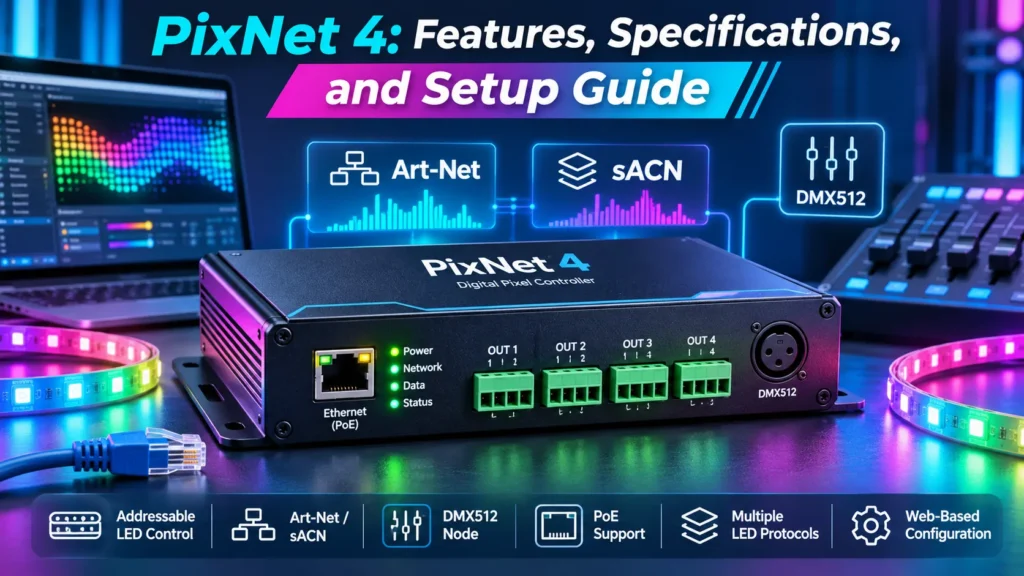
How to Set Up PixNet 4
Initial setup requires compatible lighting software, an Ethernet connection, suitable pixel lighting, and appropriate power equipment.
The manufacturer recommends installation by qualified technicians.
Step 1: Plan the LED Installation
Identify the LED chipset, voltage, total pixel count, and desired control arrangement.
Determine whether the project requires clocked SPI, clockless pixel data, or DMX output.
Calculate the number of independently controlled pixels rather than relying solely on the total number of LEDs installed.
Step 2: Connect the Controller
Connect PixNet 4 to a suitable local Ethernet network.
Power the controller using the correct PoE arrangement or the approved local DC input for the installed hardware revision.
The LEDs require their own properly rated power supply.
A qualified installer should verify grounding, polarity, protection, cable routing, and power distribution before energizing the equipment.
Step 3: Access the Configuration Interface
The manufacturer’s V2.0 manual identifies 192.168.1.247 as the default IP address.
A computer must be able to communicate with the controller over the local network before the browser interface can be accessed.
If the interface is unavailable, check the computer’s IP configuration, network connections, and whether another device is already using the same address.
The manual also documents DHCP and static addressing options.
Step 4: Configure Pixel Outputs
Select the appropriate output type and pixel protocol.
Then configure the relevant universes, pixel mapping, channel order, and output settings.
The precise number of available outputs and supported pixels should be checked against the installed firmware.
Step 5: Configure the Lighting Software
Enable Art-Net or sACN output in the chosen lighting software and direct the data to the appropriate network and universe configuration.
The sender and PixNet 4 must use compatible addressing and output mapping.
A controller can be connected correctly but still show no lighting activity if its universe assignment does not match the software.
Step 6: Test Before Full Operation
Use supported test modes or controlled lighting sequences to confirm that the installation behaves as expected.
Check color order, pixel addressing, brightness, synchronization, and the response to interrupted control data.
For larger installations, testing should also cover network load, thermal conditions, and power distribution.
The official PixNet 4 User’s Manual V2.0 provides additional information on network configuration, output modes, diagnostics, and troubleshooting.
Common PixNet 4 Problems and Troubleshooting
The Controller Is Not Visible on the Network
First verify the Ethernet connection and controller power.
The manual identifies 192.168.1.247 as the default address, but this may have been changed during an earlier installation.
An IP conflict can also prevent reliable communication.
For installations containing multiple PixNet devices, the manufacturer recommends assigning unique addresses and configuring devices individually to avoid conflicts.
LEDs Do Not Light Up
Confirm that the LED power supply is operating correctly and that the pixels have the required electrical connections.
Also check whether the incoming Art-Net or sACN universe matches the configured output.
The controller receiving power does not establish that the pixels themselves are powered.
Colors Appear Incorrect
Incorrect RGB channel ordering is a common configuration issue in addressable lighting installations.
Compare the connected LED chipset’s expected channel sequence against the PixNet port settings.
A simple red, green, and blue test sequence can help identify mapping mistakes.
Animations Flicker or Behave Unexpectedly
Possible causes include incompatible pixel timing, excessive load, unstable power distribution, wiring problems, or inconsistent control data.
The manual includes synchronization and frame-related configuration options, but the optimal settings depend on the connected lighting hardware.
Avoid assuming that changing software settings alone can resolve an electrical installation problem.
The Controller Stops Responding After Configuration Changes
Review the network address and configuration settings.
The official manual documents restart and factory-restore functions. It states that restoring factory settings resets user-defined configuration without changing the firmware itself.
Before using a reset, record any settings needed to rebuild the installation.
PixNet 4 Safety and Installation Considerations
Professional LED installations require more than correct digital configuration.
Electrical protection, power distribution, environmental conditions, and network management all affect the reliability of a lighting system.
The manufacturer’s user manual specifies installation in a cool, dry environment and lists an operating temperature range of -5°C to +35°C.
It also recommends qualified installation and dry-cloth cleaning.
Several practical precautions are particularly relevant:
- Electrical safety: Use appropriately rated LED power supplies and follow the manufacturer’s grounding and wiring requirements.
- Network protection: Keep lighting control equipment on a managed, trusted network rather than exposing its configuration interface directly to the public internet.
- Firmware management: Obtain firmware only from official sources and confirm compatibility before upgrading.
- Environmental protection: Do not assume the controller is weatherproof or suitable for outdoor exposure without an appropriate enclosure.
- Operational testing: Check the intended behavior during signal loss, power interruptions, and system restarts.
The manufacturer states that the product has been tested to UKCA and CE levels. This is a manufacturer-reported claim, not an independently verified certification assessment in this article.
PixNet 4 vs. PixNet Mini V2
PixNet Control also sells the PixNet Mini V2, a compact networked LED controller.
Both devices are intended for addressable lighting applications, but their published configurations differ.
| Feature | PixNet 4 | PixNet Mini V2 |
|---|---|---|
| Primary positioning | Multi-output professional pixel controller | Compact pixel controller |
| Network protocols | Art-Net, sACN | Art-Net, sACN |
| Product listing emphasis | Four isolated outputs and expanded mode | Compact form factor |
| Published conversion capability | Up to 48 universes | Up to eight universes, as described in manufacturer materials |
| DMX functionality | Four DMX512 outputs in node mode | DMX512 input/output port |
| Web/network configuration | Supported | Supported |
| PoE | Supported | Supported |
| Main advantage | Flexible multi-output control | Space-efficient installation |
The PixNet Mini V2 product documentation describes additional operating modes and pixel capacities, so these figures should not be treated as a direct performance benchmark.
Its compact dimensions make it worth considering where installation space is limited.
PixNet 4 is more naturally suited to projects requiring its specific multi-port architecture and advanced output arrangements.
The better choice depends on electrical design, output requirements, supported pixel protocols, and total project cost.
For reference, see the manufacturer’s PixNet Mini V2 product information.
PixNet 4 Pricing and Availability in 2026
PixNet 4 remains displayed in the manufacturer’s online catalog as of November 2026.
However, its official product page does not publish a standard retail price. Instead, it identifies pricing as trade pricing only and directs customers to log in to request pricing.
Consequently, no reliable universal purchase price can be established from the public manufacturer listing.
The eventual cost may depend on the supplier, order quantity, location, and any additional installation equipment.
A complete project budget should also consider LED fixtures, power supplies, cabling, mounting equipment, software licenses, and installation work.
PixNet Control can be contacted through its official website for current quotations, availability, and technical confirmation.
Latest Product Developments
PixNet 4 was publicly introduced in October 2024.
On March 3, 2025, the manufacturer announced that the controller would be supplied with a DIN rail mount.
DIN rail mounting helps installers position equipment inside suitable control cabinets and other structured installation environments.
The change was intended to simplify mounting and improve equipment organization.
The manufacturer’s DIN rail mounting announcement confirms this addition.
The product’s official page also provides firmware download information, but the availability of a firmware file does not independently establish when every feature was introduced or whether the firmware applies to every hardware revision.
As of November 2026, no verified public announcement establishing a direct successor named PixNet 5 was identified in the sources reviewed.
Advantages and Limitations of PixNet 4
Main Advantages
PixNet 4 offers several capabilities that are valuable in professional lighting projects.
Its support for Art-Net and sACN enables integration with established networked lighting workflows. Multiple pixel protocols also make it potentially useful across different LED technologies.
Browser-based configuration reduces dependence on dedicated hardware programming controls.
Additional strengths include DMX node functionality, configurable pixel mapping, PoE support, and DIN rail mounting.
These features can make a complex installation easier to organize when the controller matches the project’s requirements.
Important Limitations
The product is less suitable for users looking for a simple plug-and-play household LED accessory.
Successful installation requires an understanding of LED power distribution, network addressing, lighting protocols, and pixel mapping.
Its trade-oriented pricing also makes casual price comparison more difficult.
Most importantly, discrepancies between published technical specifications and the user manual mean that maximum output capacity and permissible power input should be confirmed before hardware is purchased or connected.
The available public information also does not establish independently tested frame rates, long-term failure rates, or performance under every possible installation load.
Is PixNet 4 Worth Considering?
PixNet 4 is a credible option for professional installers who need network-based control over compatible addressable LED systems.
Its principal value lies in combining multiple output configurations, supported lighting protocols, DMX functionality, and detailed configuration options in one dedicated controller.
For venues, events, or architectural projects already using Art-Net or sACN, these capabilities may simplify integration.
However, the decision should be based on verified compatibility and total installation requirements rather than advertised maximum pixel counts alone.
For smaller projects, the PixNet Mini V2 or another suitably specified controller may be more appropriate.
Frequently Asked Questions
What is PixNet 4 used for?
PixNet 4 controls compatible addressable LED lighting using Art-Net or sACN data. It is intended for professional applications such as events, stage productions, nightclubs, and architectural lighting displays.
Does PixNet 4 support both Art-Net and sACN?
Yes. The manufacturer explicitly lists Art-Net and sACN support. The controller can convert supported network lighting data into pixel signals and also provides DMX node functionality.
How many pixels can PixNet 4 control?
The manufacturer’s product page advertises up to four standard RGB outputs of 1,024 pixels each and eight expanded outputs of 1,020 RGB pixels each. However, its V2.0 user manual lists different limits. Buyers should confirm the actual capacity for their specific hardware and operating mode.
Can PixNet 4 work with WS2812B LEDs?
Yes. WS2812B is among the supported LED chipsets identified by PixNet Control. The installation must still use the correct pixel configuration, wiring, and separate LED power supply.
Can PixNet 4 be powered through Ethernet?
Yes. PixNet 4 supports Power over Ethernet for the controller itself. The connected LED pixels require a separate suitable power supply, as stated in the manufacturer’s manual.
Where can I buy PixNet 4?
PixNet 4 is listed through PixNet Control’s official product catalog. Public retail pricing is not displayed, so customers must request current trade pricing and confirm availability with the supplier.
Also Read: Tugmaps: Features, Pricing, Reviews & Safety (2026)

1 Comment
Pingback: OldManism: Products, Reviews, and Buying Guide